AI Image Extender: Extend, Expand & Uncrop Images Online Free
The free AI image extender that actually works. Extend photos in any direction, uncrop accidentally cropped images, and change aspect ratios — all powered by AI outpainting. Up to 4K output, no watermark, no Photoshop needed.
What Is an AI Image Extender?
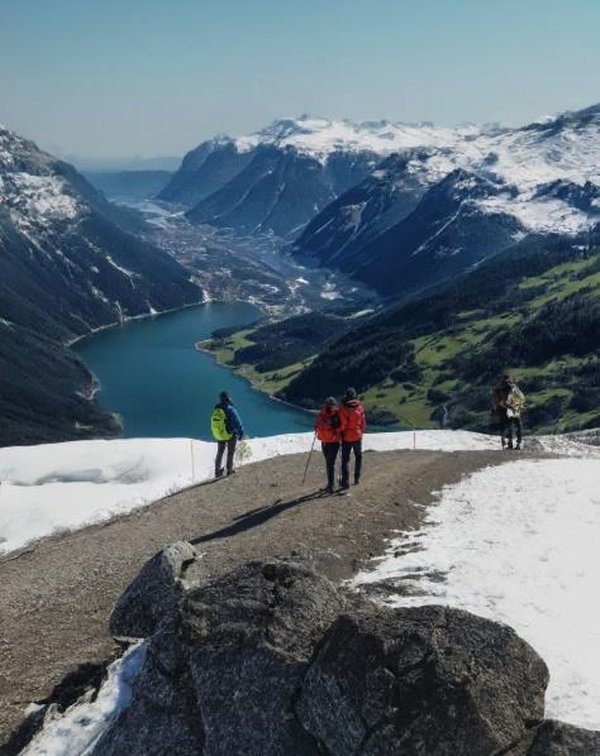
An AI image extender is a tool that uses artificial intelligence to expand images beyond their original borders. Unlike simple resizing (which stretches and blurs), AI image extension generates new, realistic content that blends seamlessly with your original photo — a technique known as AI outpainting.
Whether you need to extend a photo for a wider aspect ratio, uncrop an accidentally tight crop, or add more background to a product shot, our free AI image extender handles it all. The AI analyzes your image's content, style, lighting, and perspective, then generates matching pixels in any direction you choose.
No Photoshop skills needed. No software to install. Just upload, choose a direction, and download your extended image in seconds.
How to Extend an Image Online — 3 Steps
Extend any image in 3 simple steps — upload, choose direction, download. No technical skills or software needed.
Upload Your Image
Drag and drop or click to upload any photo. Our AI image extender supports JPG, PNG, and WebP. For best results, use images at least 512px on the shortest side.
Choose Direction & Ratio
Select which direction to extend — left, right, up, down, or all at once. Need a specific aspect ratio? Pick from presets (16:9, 9:16, 4:3, 1:1) or set a custom ratio. The AI outpainting engine handles the rest.
Download Your Extended Image
Generation takes seconds. Download your expanded image in high quality — up to 4K resolution, no watermark. Ready for social media, print, web, or any project.
Change Image Aspect Ratio Without Cropping
Every platform demands a different ratio. Instagram wants 1:1, YouTube needs 16:9, TikTok requires 9:16, Pinterest prefers 2:3. Normally you'd crop — and lose part of your image.
Our image ratio changer takes a different approach. Instead of cutting pixels, the AI extends your image to fill the new ratio. Going from portrait to landscape? The AI generates matching background on both sides. Square to widescreen? New scenery appears seamlessly.
This is the image aspect ratio changer photographers and content creators have been waiting for. No cropping, no stretching, no quality loss. Just AI-generated content that fits perfectly.
Who Uses AI Image Extension?
From photographers to e-commerce sellers — see how AI image extension helps professionals create better visuals.
Social Media Creators
Stop cropping your best shots to fit platform requirements. Use our image extender to expand photos for Instagram, YouTube thumbnails, TikTok covers, and Twitter headers. The AI adds matching background so you keep every pixel of your original.
E-Commerce & Product Photography
Extend product photos to create consistent backgrounds across your store. Turn a tight product crop into a full lifestyle banner. Our AI image background extender generates clean, professional backdrops automatically.
Photographers & Retouchers
Cropped too tight during a shoot? Extend landscape photos to panoramic ratios, or add breathing room around portraits. The AI matches lighting, depth of field, and color grading — like you shot it with a wider lens.
Designers & Web Developers
Generate full-width hero images from standard photos. Our image size extender creates responsive banners that look sharp on any screen, from mobile to 4K displays.
Wallpaper & Desktop Background
Extend any image to fit your screen resolution perfectly. Turn a favorite photo into a seamless desktop wallpaper — no black bars, no stretching, just AI-generated content filling the gaps.
Video Thumbnails & Banners
Turn any still frame into a wide-format thumbnail. Extend video stills horizontally for YouTube, promotional banners, and social media covers without re-shooting.
Simple Pricing
Subscribe for credits. All plans include every tool.
Starter
For casual users
2,500 credits/month · ~5 SR images
- 2,500 credits/month
- No watermark
- 4K output
- All tools included
Pro
For creators
7,000 credits/month · ~14 SR images
- 7,000 credits/month
- No watermark
- 4K output
- Priority queue
- All tools included
Max
For power users
16,000 credits/month · ~32 SR images
- 16,000 credits/month
- No watermark
- 4K output
- Priority queue
- Commercial license
- All tools included
All prices in USD. Powered by Stripe. Cancel anytime.
Frequently Asked Questions
Everything you need to know about AI image extension